Button Remapping: Knowing When to Stop Reverse-Engineering
2026-05-29
An evening chasing a firmware command that returned OK and did nothing — and how CGEventTap solved it better than the firmware path ever could.
Part 5 of a series on building a native Razer mouse controller for macOS.
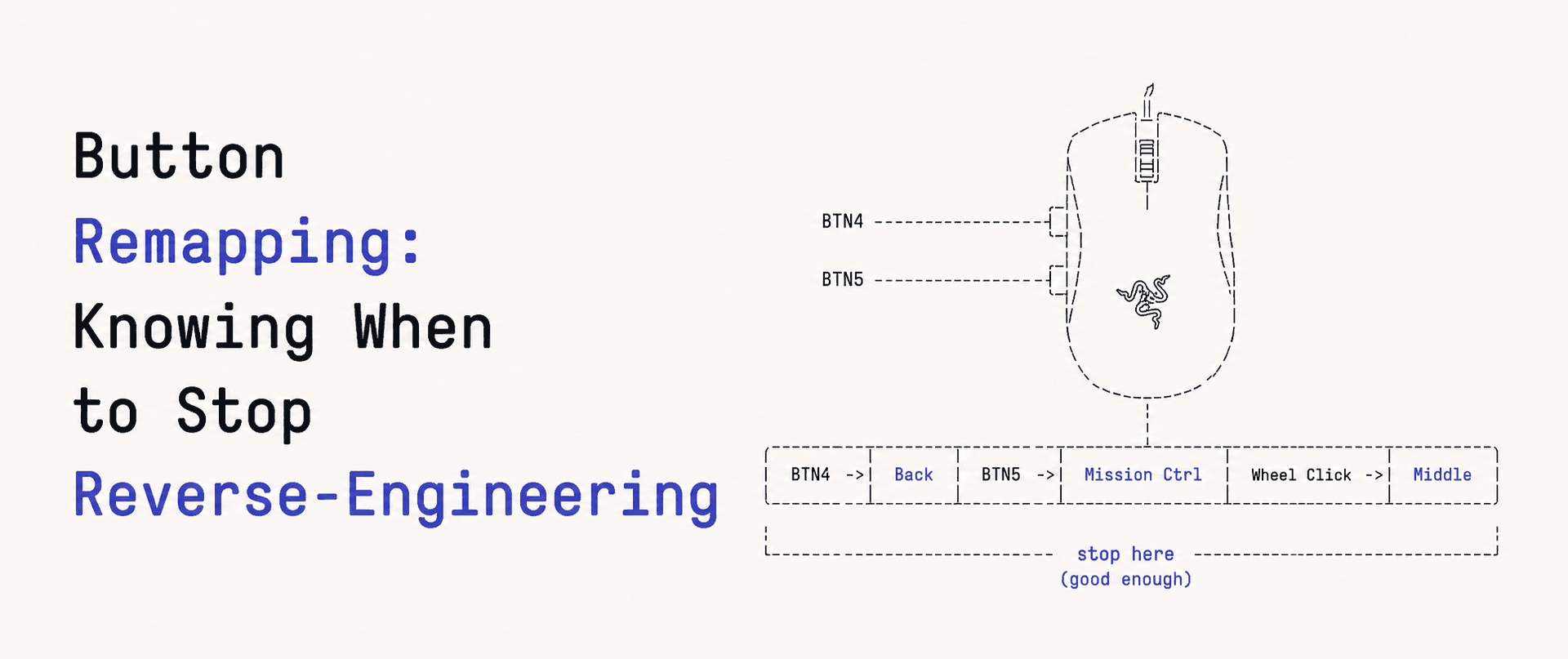
Last feature: remap the two side buttons. Make the forward one a left click, or copy, or whatever. Synapse does it, so the mouse can do it, so I just need the command. Right?
This is the part where I spent an evening getting the device to say yes and do nothing, then threw the whole approach away and solved it in a completely different place. I think the second half is the more useful lesson.
The Firmware Hunt
There's no public table for "remap a DeathAdder V2 button." So I built a probe tool: send an arbitrary class/id with arbitrary args, print the full response. Then I swept ranges of commands looking for anything that responded 0x02 (OK) and looked button-shaped.
I found the profile system. Class 0x05 and 0x06 commands all answered. There's a per-button read at 0x05 / 0x8A that echoes back which button you asked about. There's a write at 0x05 / 0x0A. Driver mode, profile slots, the works. It all looked exactly like where button bindings would live.
So I tried the obvious write: button 4, action type mouse, parameter left-click. Sent it.
status: OK
Pressed the button. Nothing changed. Read it back. Unchanged.
Tried it in driver mode first. OK. Nothing. Tried selecting the profile slot before writing. OK. Nothing. Tried five different argument layouts. Every single one came back 0x02. Every single one did nothing.
If you read part 3, you know exactly what this is. 0x02 means the packet was well-formed and understood as a command. It does not mean it did what I wanted. I was writing into a void the firmware was politely accepting.
It got worse. One of my "reset to default" attempts used action type 0x00, which I assumed meant "firmware default." It actually means disabled. I turned my own side button off and didn't realize for a minute why pressing it did nothing at all. (Fix: clear the profile slot entirely and let the firmware take back over. Or just unplug and replug.)
After an evening of this I had a pile of commands that all returned OK and a mouse whose buttons were exactly as unremapped as when I started. The firmware path was a wall. Without capturing real Synapse USB traffic on Windows to see the exact bytes, I was guessing, and the device's "OK" gave me no signal to guess better.
The Pivot
Here's the reframe that fixed it. I don't actually need the mouse to remap the button. I need the button press to do something different on my Mac. Those aren't the same problem, and the second one doesn't involve Razer at all.
macOS lets you intercept input events with a CGEventTap. You watch for mouse button events, and when the one you care about fires, you swallow it and post a different event instead. This is how the commercial Mac mouse utilities do it. None of them reprogram firmware. They all sit in the event stream.
First I just needed to know which button number the OS sees for each side button. A listen-only tap that logs:
let n = event.getIntegerValueField(.mouseEventButtonNumber)
print("otherMouseDown buttonNumber=\(n)")
Pressed both side buttons. The forward one (near the wheel) is #4, the back one is #3. Now I can target them.
Actually Remapping
To change an event, not just watch it, the tap has to be active (.defaultTap), and that needs Accessibility permission, not Input Monitoring. Different permission, different System Settings pane. Worth knowing up front: a listen-only tap needs Input Monitoring, a tap that modifies or drops events needs Accessibility.
The handler: if it's a button I manage and it's mapped to something, swallow the original and synthesize the replacement.
nonisolated private func handle(type: CGEventType, event: CGEvent) -> Unmanaged<CGEvent>? {
    let button = Int(event.getIntegerValueField(.mouseEventButtonNumber))
    let action: MouseAction
    switch button {
    case 4: action = forwardAction
    case 3: action = backAction
    default: return Unmanaged.passUnretained(event)  // not ours
    }
    guard action != .passthrough else { return Unmanaged.passUnretained(event) }

    if type == .otherMouseDown { perform(action, at: event.location) }
    return nil   // swallow the original
}
perform posts whatever you mapped to: a left click is a synthesized leftMouseDown/leftMouseUp, copy is ⌘C as a key event, and so on. Press the side button, the click happens where your cursor is. It just works, immediately, the first time, with no guessing about byte layouts.
The Tradeoff, Honestly
Software remapping isn't strictly better than firmware remapping. The differences are real:
- It only works while my app is running. Firmware remapping would persist on the mouse, even on another computer or in a BIOS screen.
- It's Mac-only. The mouse's own memory doesn't know anything changed.
For a menu bar app that launches at login, "only while the app runs" is basically always, so the tradeoff barely bites. And the firmware version had one fatal flaw the software version doesn't: it didn't work.
That's the actual lesson from this whole feature. I spent an evening determined to solve the problem at the layer I'd decided it lived at. The device kept telling me OK and doing nothing, and I kept reading that as "almost there." The fix wasn't a better byte sequence. It was stepping up one layer to where the problem was tractable and the feedback was honest: press button, thing happens, or it doesn't.
Reverse-engineering is fun right up until the point where it's just you and a device that says yes to everything. Knowing when to stop is part of the skill.
Where This Lands
Five parts in, the app does what Synapse does for the things I care about: DPI with presets, static and animated lighting, side button remapping, all from a menu bar icon, no Razer account, no background service phoning home. The protocol work was the interesting half. The honest half was admitting one feature didn't belong in the protocol at all.
This project lives at github.com/pol-cova. More native macOS tools like this ship under mkrz.studio.